Untessellate.
The STEP exporter Blender never had.
Your subdivision-surface model becomes watertight CAD — exact surfaces, creases included, your edge marks preserved as real boundaries. One button. The file opens as a solid in anything that reads STEP AP242, verified in Onshape, FreeCAD, Alias, and OpenCascade.
Windows & macOS (Apple silicon) · Blender 4.0+ · runs locally — your model never leaves your machine
VAT included for the EU and UK — the price is what you pay. In the US, Canada and India sales tax is added at checkout, as is the convention there.
The problem
STL is not CAD.
Your machine shop already told you. A mesh has no surfaces to machine, no faces to dimension, no solid to trust.
Re-modeling costs days.
Rebuilding your model in a second app loses the surfaces you sweated over — and you get to do it again next revision.
Conversion gigs cost $25–100.
Per part. Every part. Every revision. Forever.
Blender artists have asked for real STEP export for as long as the forum threads go back. The answers were always the same: tessellate, re-model, or pay someone. CageStep is the fourth answer.
One button between your model and your machine shop
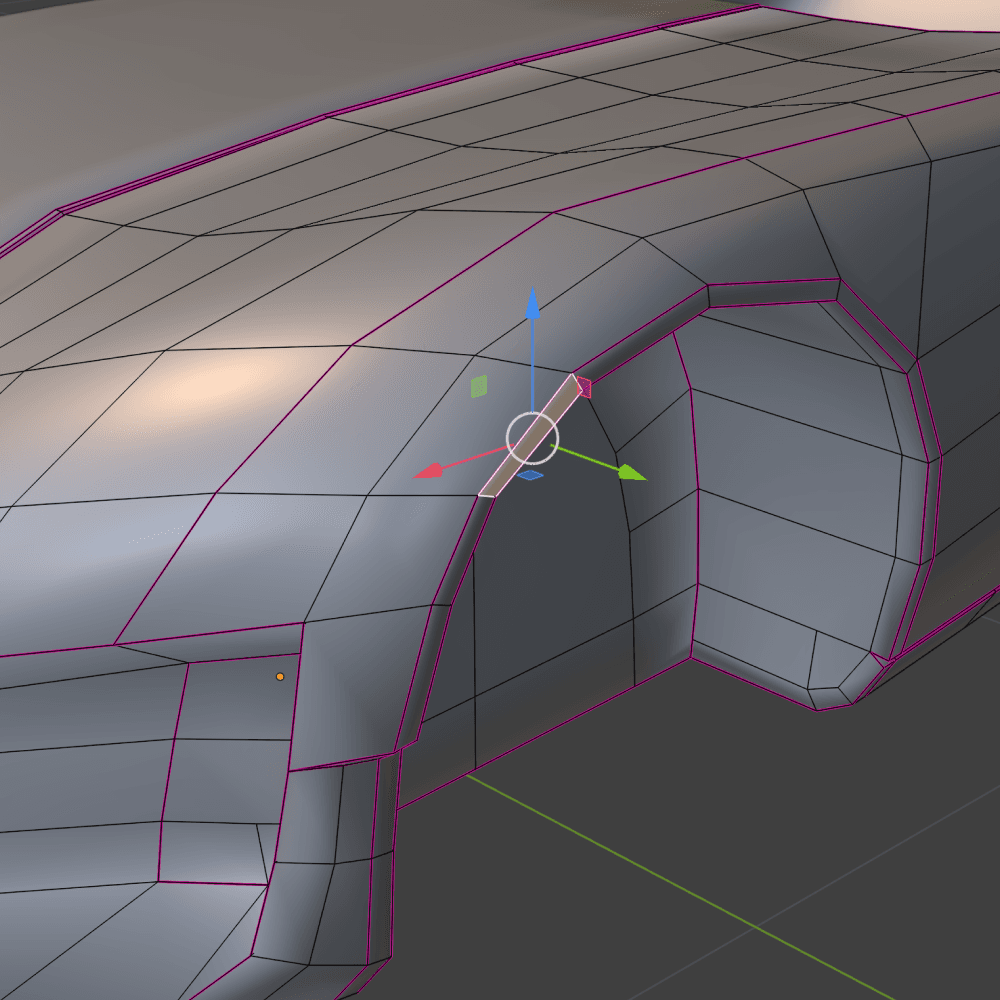
Fig. 2a Model as you always do
Creases and all — edge creases, vertex creases, boundary creases, exactly as Blender defines them.
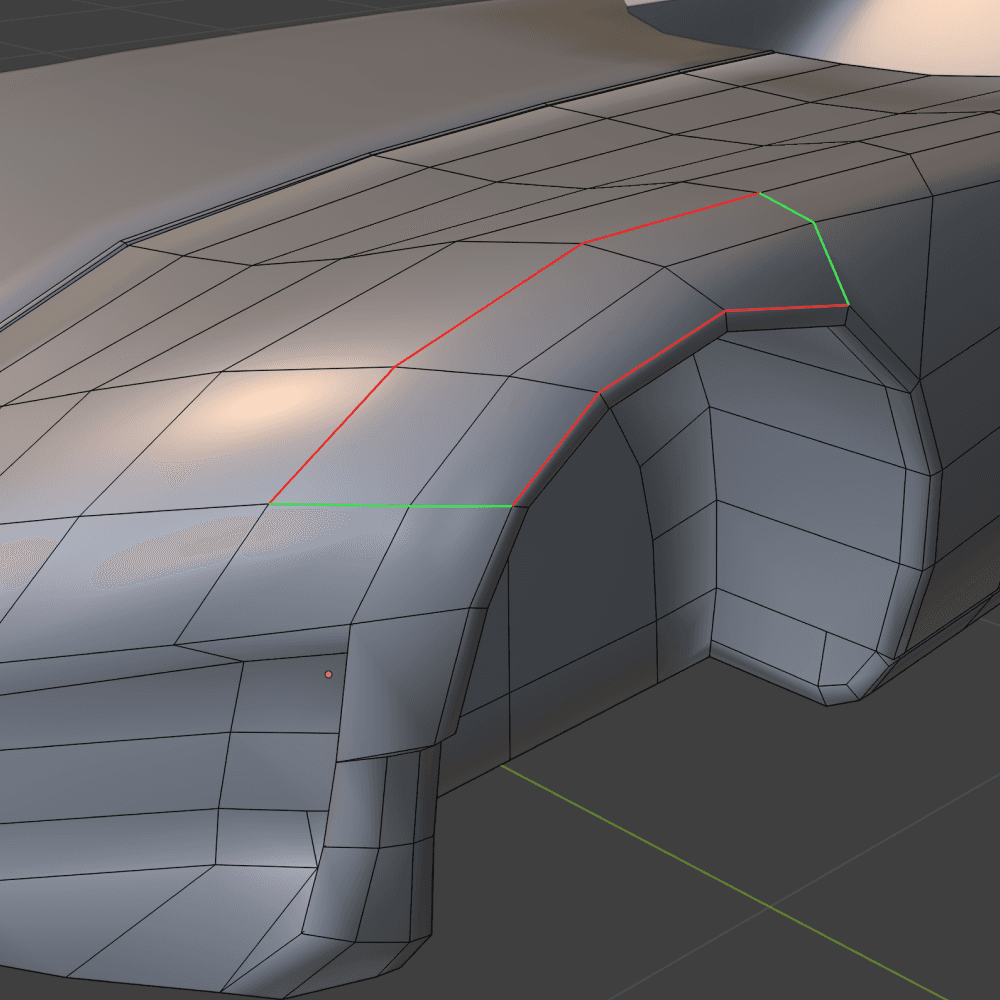
Fig. 2b Mark your patch borders
Mark the edges you want as patch borders — or skip it; marking is optional.
- Red: G0 position
- Amber: G1 tangent
- Green: G2 curvature
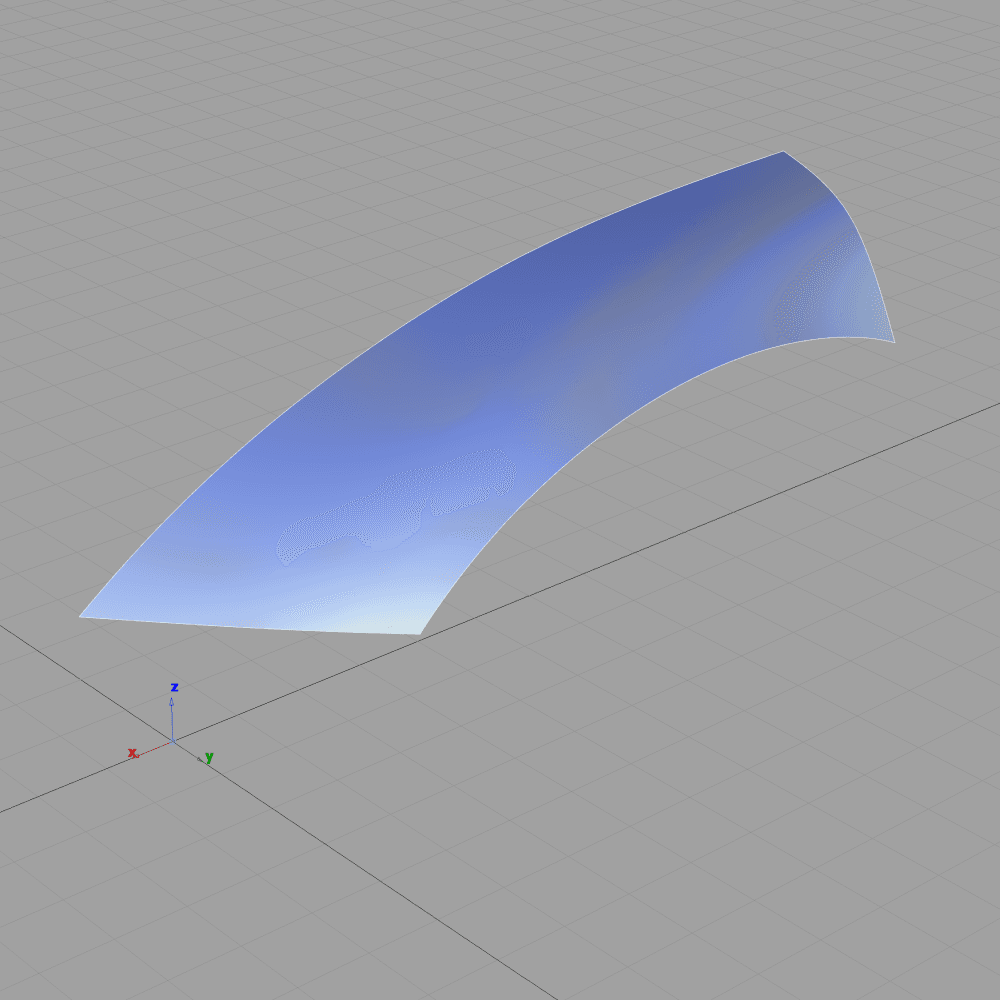
Fig. 2c Press Extract
The engine starts itself and writes STEP AP242. A whole body, or a single marked patch — here one surface, opened in Alias.
The whole thing installs from one zip. No Python environment, no terminal, no separate install — the add-on starts the bundled engine itself and stops it when you disable it.
Export Blender to STEP you can measure
In regular regions the output IS your subdivision surface — measured at machine precision, not approximated. Star points are tangent-continuous. Every seam is topologically shared: watertight is a property of the file, not a hope of the importer.
| Quantity | Measured | Remark |
|---|---|---|
| Surface deviation, regular regions0.0000000000000032 — not an approximation of the limit surface; the limit surface itself, to the computer's last digit | ≤ 3.2×10⁻¹⁵ | 0.0000000000000032 — not an approximation of the limit surface; the limit surface itself, to the computer's last digit |
| Seam gap (G0), every seamno gap a computer can measure: one shared edge curve per seam — watertight by construction, not healed to a tolerance | ≤ 2.7×10⁻¹⁵ | no gap a computer can measure: one shared edge curve per seam — watertight by construction, not healed to a tolerance |
| Smooth-seam angle, test body 01no measurable kink — max and median, every smooth seam class | 0.0000° | no measurable kink — max and median, every smooth seam class |
| Smooth-seam angle, creased body 02about one fiftieth of a degree — every unpinned smooth seam | ≤ 0.021° | about one fiftieth of a degree — every unpinned smooth seam |
| Volume agreement, recomputed by OCCT0.00004 % — OCCT re-measures the file's stated volume and agrees | 4×10⁻⁷ | 0.00004 % — OCCT re-measures the file's stated volume and agrees |
| Area agreement, recomputed by OCCT0.000003 % — the same check, on surface area | 3×10⁻⁸ | 0.000003 % — the same check, on surface area |
The same file, opened where your clients live. Every file carries CAx-IF validation properties — volume, area, centroid — that the receiving CAD checks on import.
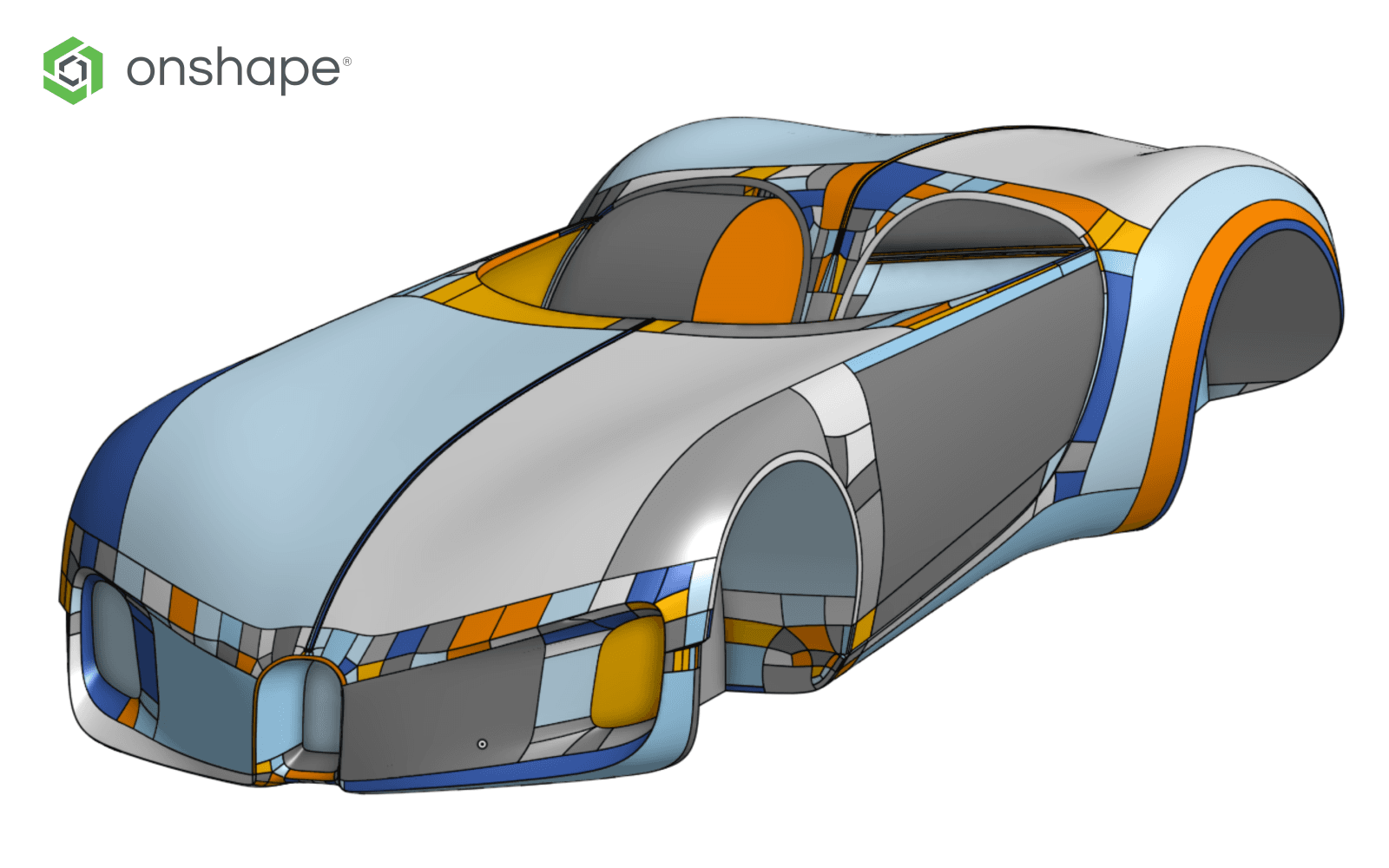
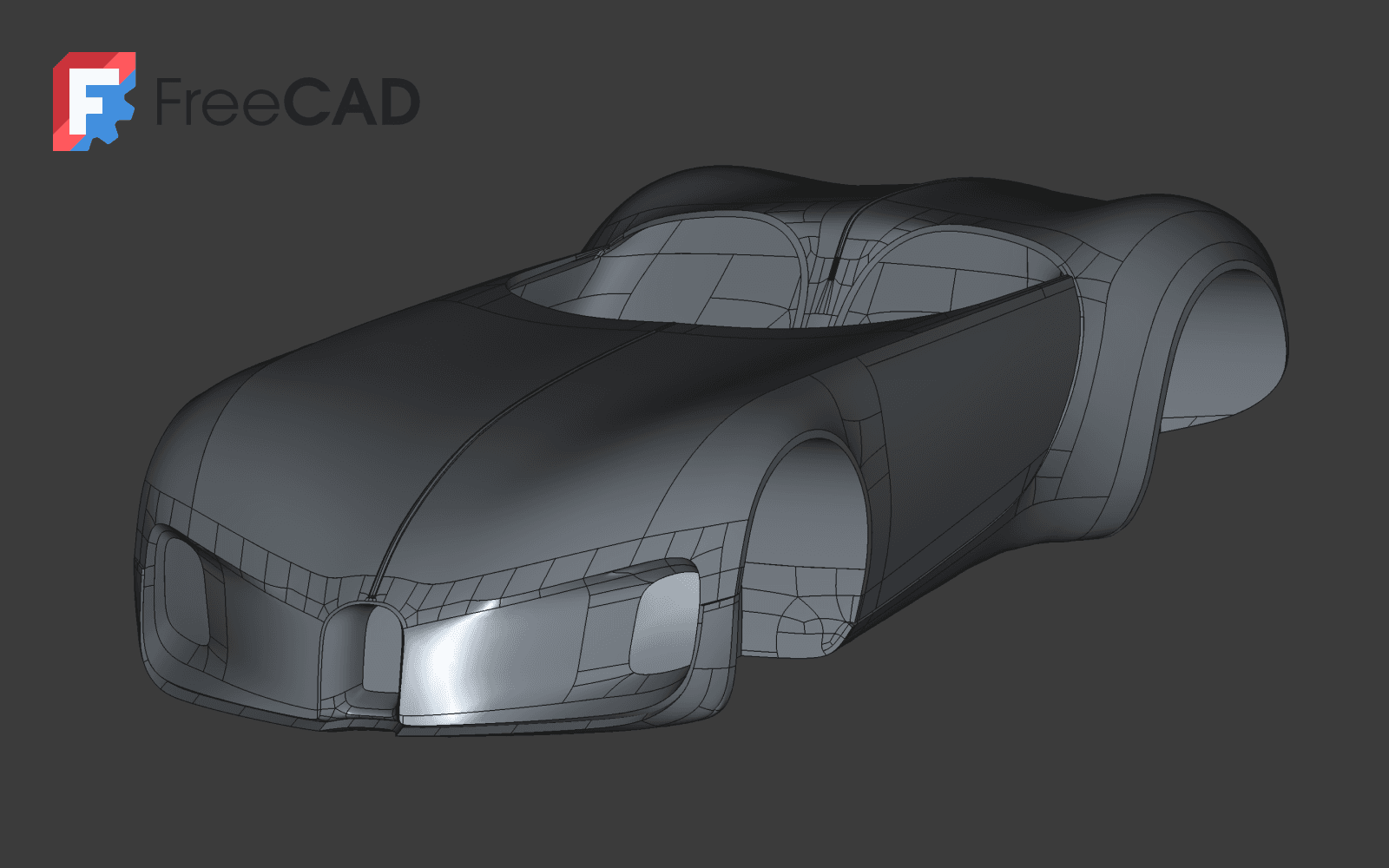
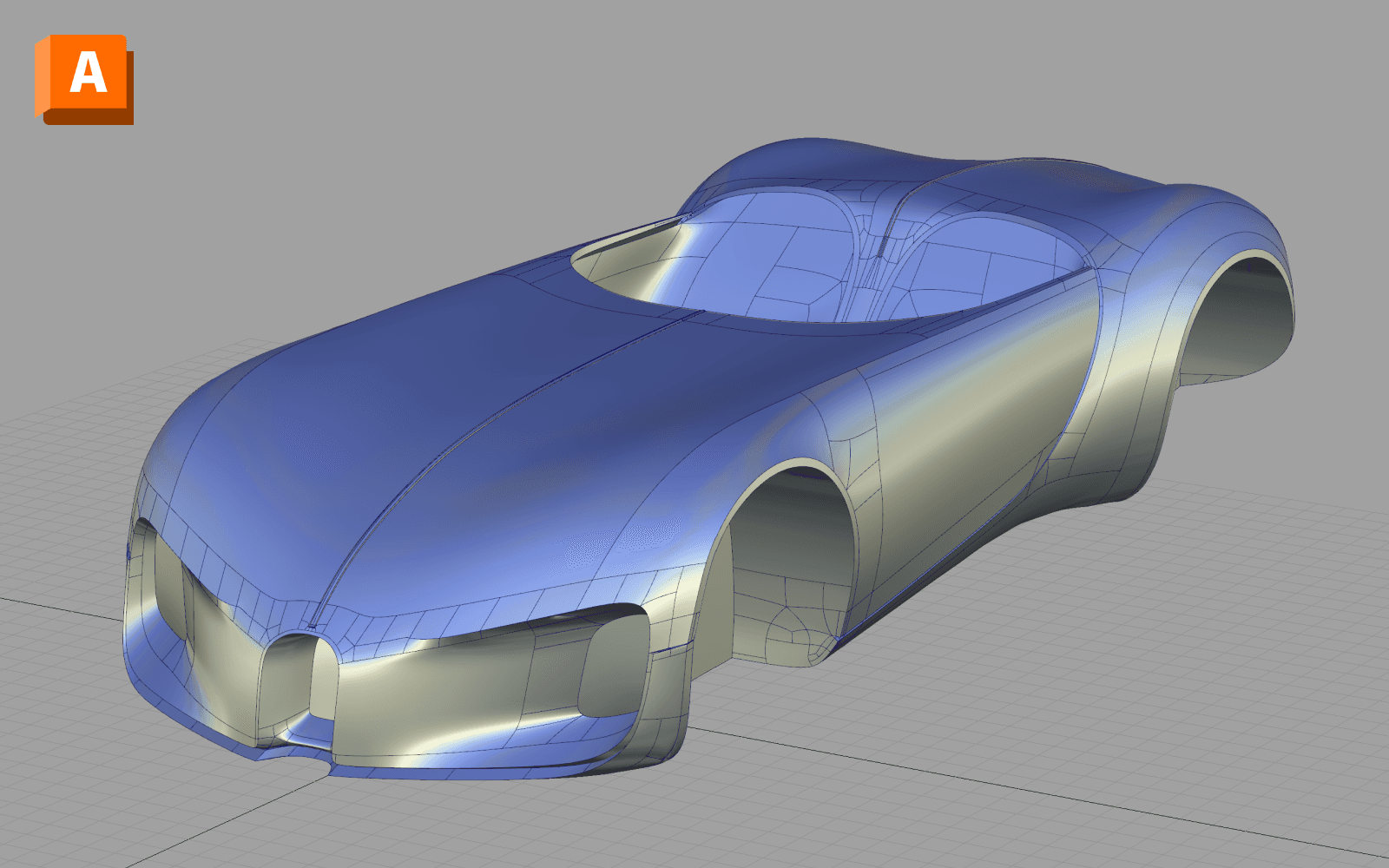
The edges you mark are the edges you get.
Auto-converters invent their own patch structure and hand you a quilt of arbitrary faces you cannot argue with. CageStep splits the work and tells you where the line is: the edges you mark become the actual B-rep face boundaries in the STEP, and the algorithm partitions everything you did not mark. One press of Auto Patches lays out the whole body, and every border it proposes is one you can redraw. You author the boundaries you care about; you are not made to author all of them.
Edge creases, vertex creases, boundary creases — they all survive. If your converter asks you to “manually insert edge loops instead”, it isn't converting your model.
What CageStep is not
Every conversion tool has an honesty problem. Ours is solved the same way the geometry is: reported, per patch, in the file you get. Here is the full list of approximations and limits — the same ones the extract report will show you.
Reported limitations
as printed in every extract report
:not-class-a
It is not a Class-A surfacing tool.
Nobody converting polygons is, whatever their landing page says. CageStep gives you exact reference and engineering geometry. Class-A teams will still rebuild by hand — but they start from your solid, not from a mesh.
:pinned
Pinned spikes keep approximate caps.
A vertex crease of 1.0 — an authored spike — is provably outside what a polynomial G1 cap can represent. Those caps are approximate, they get their own report class, and the report tells you exactly which patches are affected.
:semi-sharp
Semi-sharp creases are approximated per level.
Fractional creases between smooth and sharp are approximated at your chosen subdivision level. The report says so, per edge, instead of hoping you won't check.
:subd-only
It converts SubD models, not any mesh.
The input is the cage you build with Blender's Subsurf modifier. Triangle soups, scans, and sculpt exports are a different problem — and other tools' problem.
:open-shells
Solids need closed cages.
A closed single-shell cage becomes a genuine manifold solid (MANIFOLD_SOLID_BREP, orientation decided by measured signed volume). Open models export as surface shells instead — plus a loose per-surface mode for Alias-style workflows.
:linux
No Linux build yet.
Windows and macOS on Apple silicon ship today; there is no Intel Mac build, and the Linux build is not published yet. If that's your platform, don't buy yet.
Pays for itself before the second revision.
Try the full product free for 15 days first — no payment details, nothing uploaded. If it earns its place in your pipeline, buy it once and keep it.
CageStep Indie
launch price$119
1 seat
One-time. For individual artists and freelancers.
VAT included for the EU and UK — the price is what you pay. In the US, Canada and India sales tax is added at checkout, as is the convention there.
- Perpetual license — the version you buy runs forever, offline
- Every future version included — no renewals, ever
- License file ready to download the moment checkout completes
- 14-day money-back guarantee, no questions
- No subscription. No phoning home. No account required to run it
the price of a few per-part conversion gigs — once
CageStep Studio
launch price$329
5 seats
One-time. For studios and teams — bought once on the company card.
VAT included for the EU and UK — the price is what you pay. In the US, Canada and India sales tax is added at checkout, as is the convention there.
- Perpetual license — the version you buy runs forever, offline
- Every future version included — no renewals, ever
- License file ready to download the moment checkout completes
- 14-day money-back guarantee, no questions
- No subscription. No phoning home. No account required to run it
VAT handled, invoice included — Polar is the merchant of record
A seat is a person, not a machine — install it on every machine you personally work on. Studio covers 5 people in one company, and a seat moves to whoever replaces its holder. Nothing enforces this in software; the count is written into your license file and honoured on trust. Full terms are on the license page.
The licence is yours to pass on if you ever stop using it, and client work is unrestricted on both tiers. Beyond the 14-day guarantee, consumers in the EU keep the full statutory right of withdrawal — we do not ask you to waive it for an instant download.
full function, no payment details
Questions a careful buyer asks
The next time someone asks for STEP, it's one button.
Fifteen days, full function, nothing uploaded. Decide with your own model.
VAT included for the EU and UK — the price is what you pay. In the US, Canada and India sales tax is added at checkout, as is the convention there.